This website uses cookies
AcceptBack
Custom Web Scraping Playbook Using Python
January 13, 2026
Description
A workflow that uses Python-based scraping to extract clean, structured data from public websites with full control.
Read moreWatch video on youtubeHow it works
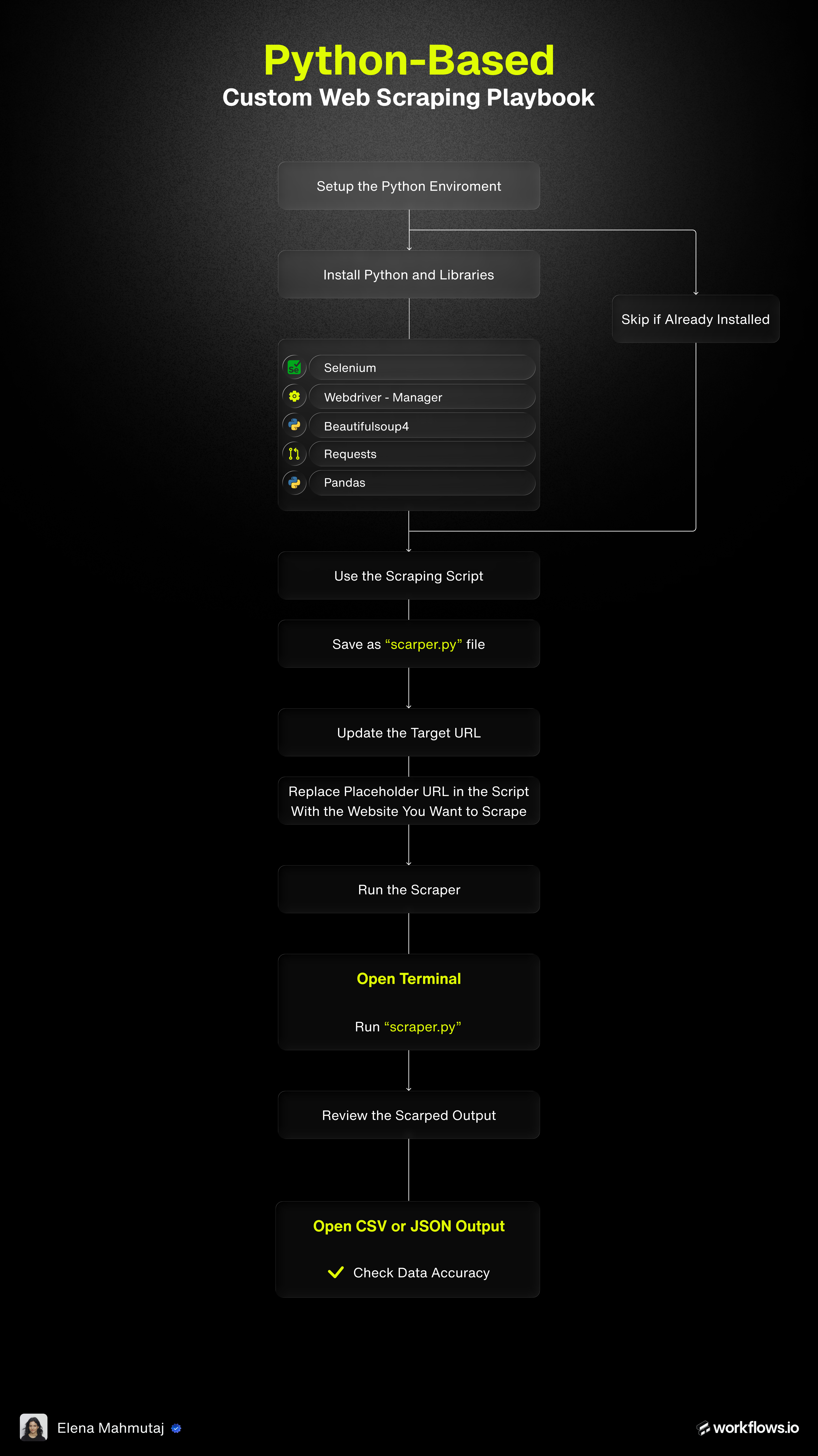
- Install Python and ensure it is added to your system PATH.
- Verify installation by running:
- Install required libraries:
seleniumwebdriver-managerbeautifulsoup4requestspandas
- Open the script linked in the playbook document.
- Copy the full Python code.
- Save it as a
.py file.
Example:
- Open the
.py file in VS Code or Cursor. - Locate the target URL variable:
url = "YOUR_TARGET_WEBSITE_URL_HERE"
- Replace it with the actual website URL.
- Save the file.
- Open Command Line (Windows) or Terminal (Mac).
- Navigate to the folder containing the script.
- Run:
- The script will:
- Open Chrome
- Load the website
- Extract the defined elements
- Save the results locally
- Locate the output files in the same folder:
.json file for structured data.csv file for spreadsheet use
- Open the CSV file in Excel, Google Sheets or Clay.
- Review a sample of rows for accuracy and completeness.
- Modify:
- Target URL
- XPath or CSS selectors
- Data fields to extract (names, links, emails, phone numbers)
- Use browser inspection tools to identify stable selectors.
- Share page HTML or selector hints with Claude to improve accuracy.
- Increase wait times if elements load slowly.
- Update selectors if the site layout changes.
- Add delays to reduce bot-detection risk.
- Re-run the script after each change.